.svg)
Is Your Chair Holding You Back? The Ergonomic Fix You Didn't Know You Needed

Sounds dramatic? It’s not. Let’s talk about why the chair you sit on every day can either boost your productivity—or slowly ruin your posture, comfort, and even health.
Why Your Chair Matters More Than You Think
Most people invest carefully in their laptop and monitor but give almost no thought to their chair. Yet the chair is the one piece of equipment that affects your body every single working hour.
The average Indian desk professional sits for six to nine hours a day. Over a year, that is thousands of hours during which your spine, muscles, and posture are either being supported or quietly damaged.
If you have ever finished the day with a sore back or stiff neck and assumed it was just a long day, your chair is the more likely cause.
What Does Prolonged Sitting Do to Your Body?
When you sit in a poorly designed chair for hours, the lumbar spine gradually loses its natural inward curve. Intervertebral disc pressure builds, circulation to the legs slows, and the neck and shoulder muscles tighten from forward head posture.
None of these effects appear suddenly. They develop slowly over months and years of daily exposure.
By the time the chronic pain becomes noticeable, the habit has already been established and the fix requires more deliberate effort.
Warning Signs Your Chair Is Working Against You
Physical Signals to Watch For
Lower back pain that starts or worsens during sitting, neck stiffness building through the afternoon, and leg numbness or tingling are the three most common physical signals.
If you are shifting and repositioning every twenty minutes trying to get comfortable, that is your body telling you the chair is not doing its job.
Persistent afternoon headaches are also frequently linked to sustained shoulder and neck tension caused by poor seated posture.
Behavioural Signals
Leaning forward toward the screen rather than sitting back comfortably is a clear sign that the chair is not supporting you from behind.
Feet that dangle or are tucked awkwardly beneath the chair suggest the seat height has never been correctly adjusted for your body.
Taking breaks not by choice but to escape physical discomfort is one of the most telling signs that the chair is the problem.
Tip: Note how often you shift position during one full working day and when discomfort peaks. This single observation tells you exactly where your chair setup is failing.
What Is an Ergonomic Chair?
The word ergonomics simply means designing something to fit the human body rather than asking the body to adapt to it.
A standard office chair is built for appearance and basic function. An ergonomic chair is built around the body's natural proportions, posture needs, and physical vulnerabilities.
The core difference is adjustability. An ergonomic chair can be configured to fit the individual using it. A standard chair cannot, which means it correctly fits almost no one.
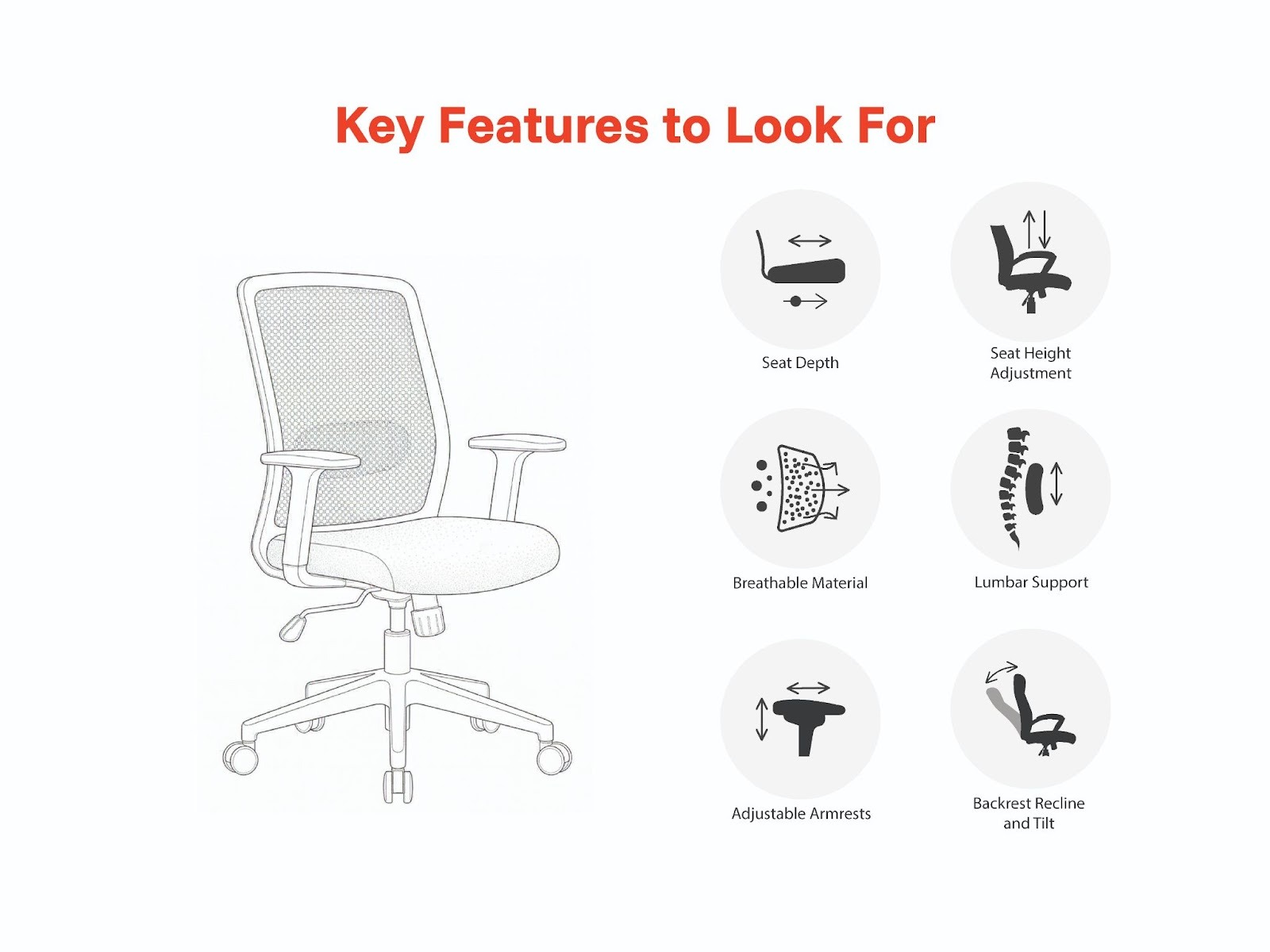
Key Features to Look For
Lumbar Support
Lumbar support is the single most important feature in any chair designed for extended daily use. Without it, the lower back flattens progressively, leading to chronic lower back pain.
Look for support that is adjustable in both height and depth so it aligns with your individual anatomy rather than a generic assumed position.
A fixed lumbar insert that cannot be repositioned will rarely align correctly and provides far less benefit than it appears to.
Seat Height Adjustment
Your feet should rest flat on the floor with the knees at approximately a 90-degree angle. If the chair cannot be adjusted to achieve this, the hips and lower back pay the price.
Look for a smooth gas-lift mechanism that holds its position reliably under body weight without slowly sinking during use.
Seat Depth
Seat depth determines whether your thighs are properly supported without the front edge pressing into the back of the knees. Too deep restricts circulation; too shallow leaves the thighs unsupported.
The correct position leaves a two to three finger gap between the seat edge and the back of the knees when sitting fully back.
Backrest Recline and Tilt
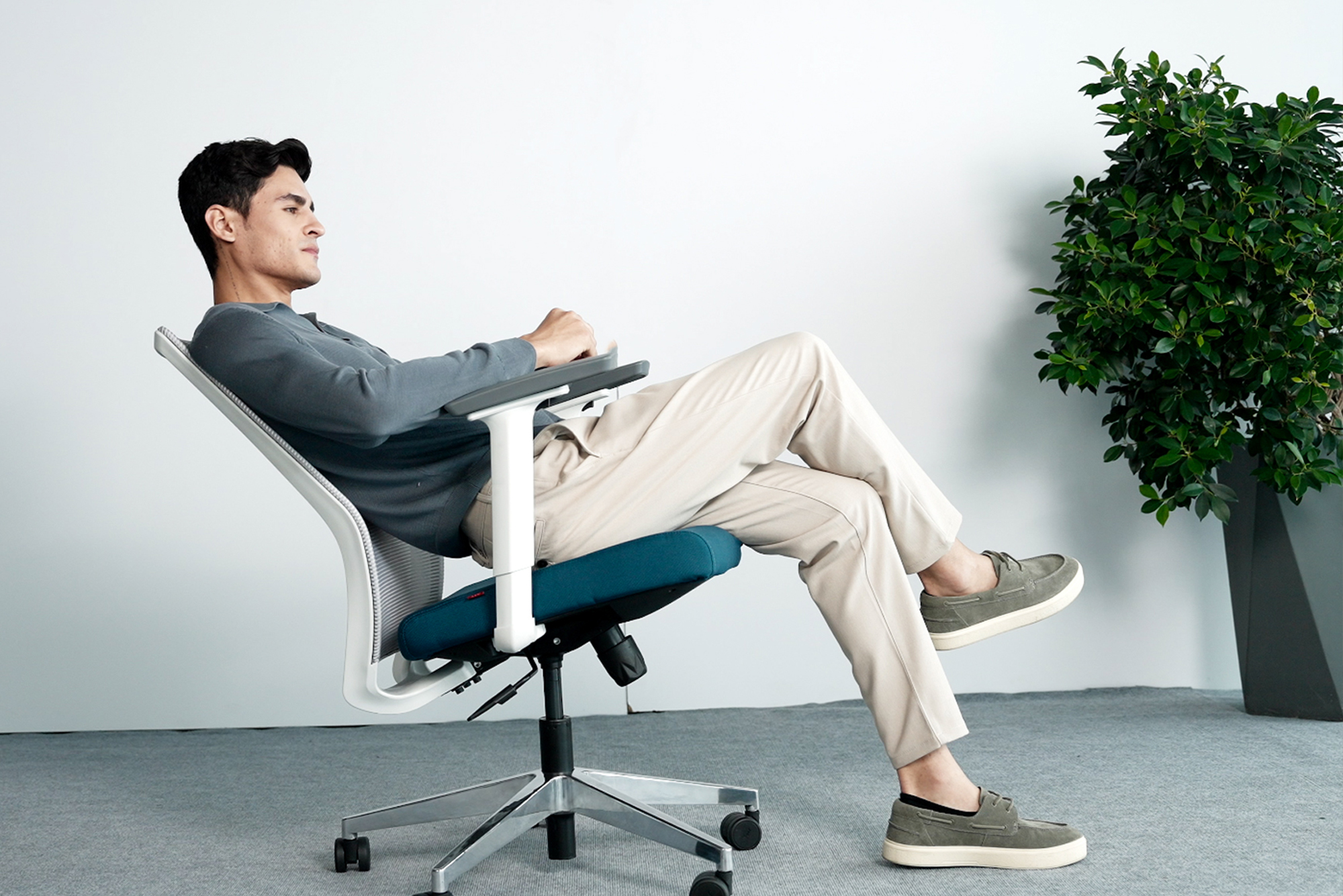
Sitting rigidly upright at 90 degrees for hours is harder on the spine than most people realise. A slight recline of 100 to 110 degrees reduces disc pressure meaningfully.
Look for a tilt tension control that can be adjusted to match your body weight and a recline lock for different task types.
Adjustable Armrests
Armrests at the wrong height force the shoulders upward, creating the sustained upper trapezius tension that causes neck and shoulder pain by the end of the day.
Look for height-adjustable armrests, ideally with 3D movement, so the elbows rest naturally at the sides with the shoulders fully relaxed.
Breathable Material
Mesh backrests allow continuous air circulation and prevent the heat buildup that makes solid-back chairs uncomfortable after hours of use.
This is especially relevant in Indian offices where temperatures are warm and air conditioning is sometimes inconsistent.
Bonus Point: Test mesh quality by pressing your palm firmly against the back panel. Quality mesh snaps back to shape immediately. Mesh that sags under light pressure will lose its structural support within months of regular use.
You can explore the full AFC Business Solutions Seating collection to compare ergonomic chair options across mesh, leather, and task configurations.
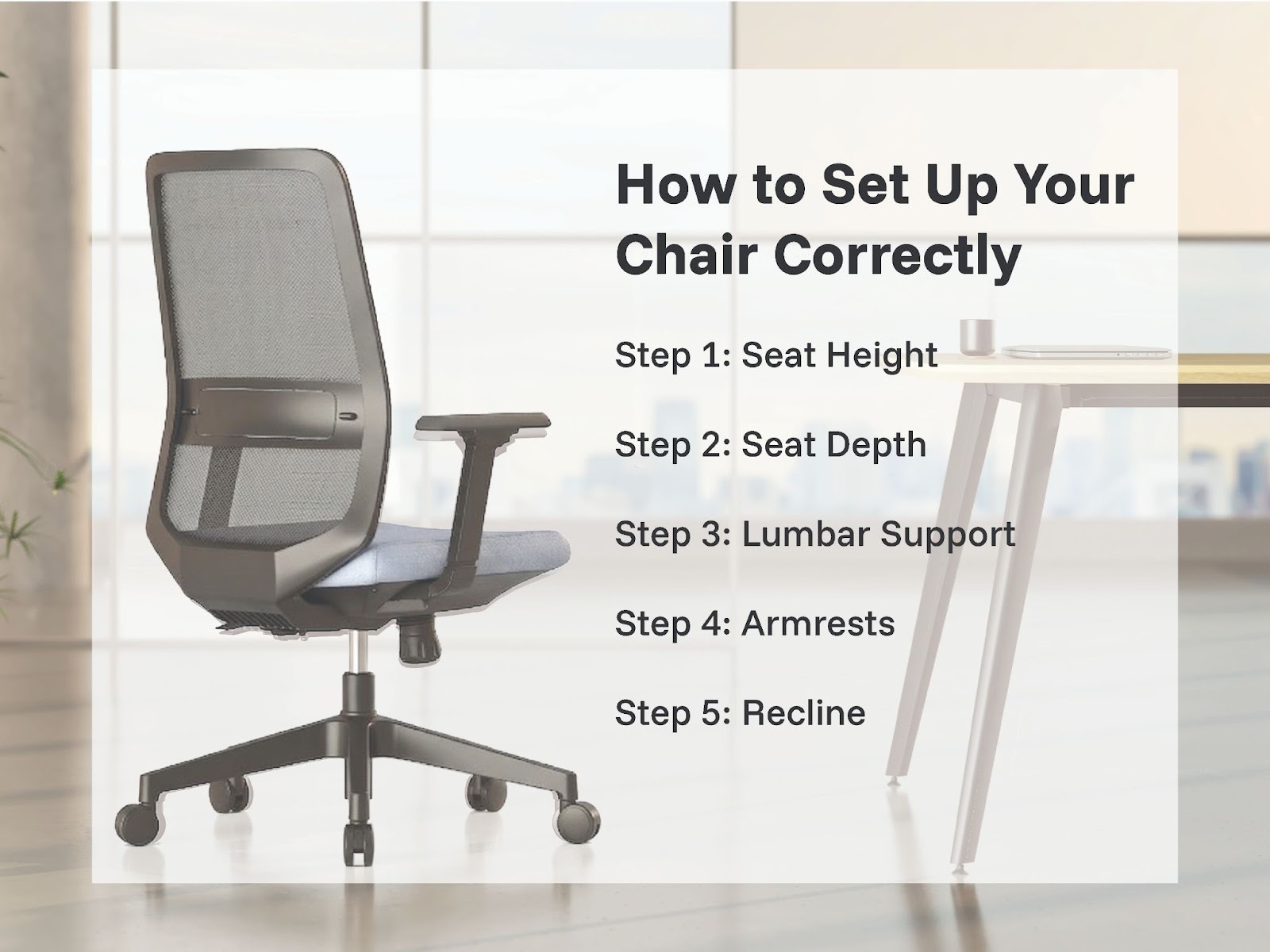
How to Set Up Your Chair Correctly
Even the best ergonomic chair underperforms if it has not been adjusted for the person using it.
Step 1: Seat Height
Adjust until both feet rest flat on the floor with knees level with or slightly below the hips. Use a footrest if the desk height prevents this.
Step 2: Seat Depth
Slide the seat depth until a two to three finger gap exists between the front seat edge and the back of the knees.
Step 3: Lumbar Support
Move the lumbar support up or down until it makes gentle, consistent contact with the inward curve of the lower back.
Step 4: Armrests
Adjust until the elbows sit at roughly 90 degrees with the shoulders completely dropped and relaxed.
Step 5: Recline
Allow a slight backward recline of 100 to 110 degrees. This is better for the spinal discs than holding a rigid upright position.
Tip: After adjusting the chair correctly, give your body two to three working days to adapt. Your posture muscles need time to re-engage after compensating for poor support over a long period.
Does an Ergonomic Chair Actually Improve Productivity?
Yes. When the body is uncomfortable, the brain receives continuous low-level distress signals that consume cognitive bandwidth and pull focus away from work.
Studies referenced by the National Institutes of Health found that employees using ergonomic seating reported up to 17.7% higher productivity and 24% less job-related stress compared to those using standard chairs.
Proper postural support also improves blood flow to the brain, which directly supports sustained alertness and concentration through the full working day.
Common Myths About Ergonomic Chairs
Myth 1: Only People with Back Problems Need One
Most chronic back pain from poor seating develops in people who had no pre-existing condition. The damage accumulates slowly over years.
An ergonomic chair is far more valuable as a preventative measure than as a remedy after the pain has already developed.
Myth 2: Any Chair Labelled Ergonomic Is Good
The word ergonomic has no regulated definition. It can be applied to any product regardless of actual design quality.
Evaluate the real features: adjustable lumbar, seat depth, armrest range, and build quality. These determine genuine ergonomic value.
Myth 3: A Standing Desk Replaces a Good Chair
Height-adjustable desks are a valuable addition to any workspace but most people still spend the majority of time seated during focused work and calls.
A standing desk and an ergonomic chair solve different problems. They complement each other rather than replace each other.
How AFC Business Solutions Designs Ergonomic Chairs
AFC Business Solutions builds every chair around the principles of neutral body posture, where the spine holds its natural curves with minimal muscular effort.
All chairs undergo BIFMA-compliant testing, the internationally recognised benchmark for office furniture safety and durability. AFC Business Solutions holds BIFMA Level 3 certification, the highest sustainability and quality performance standard in the industry.
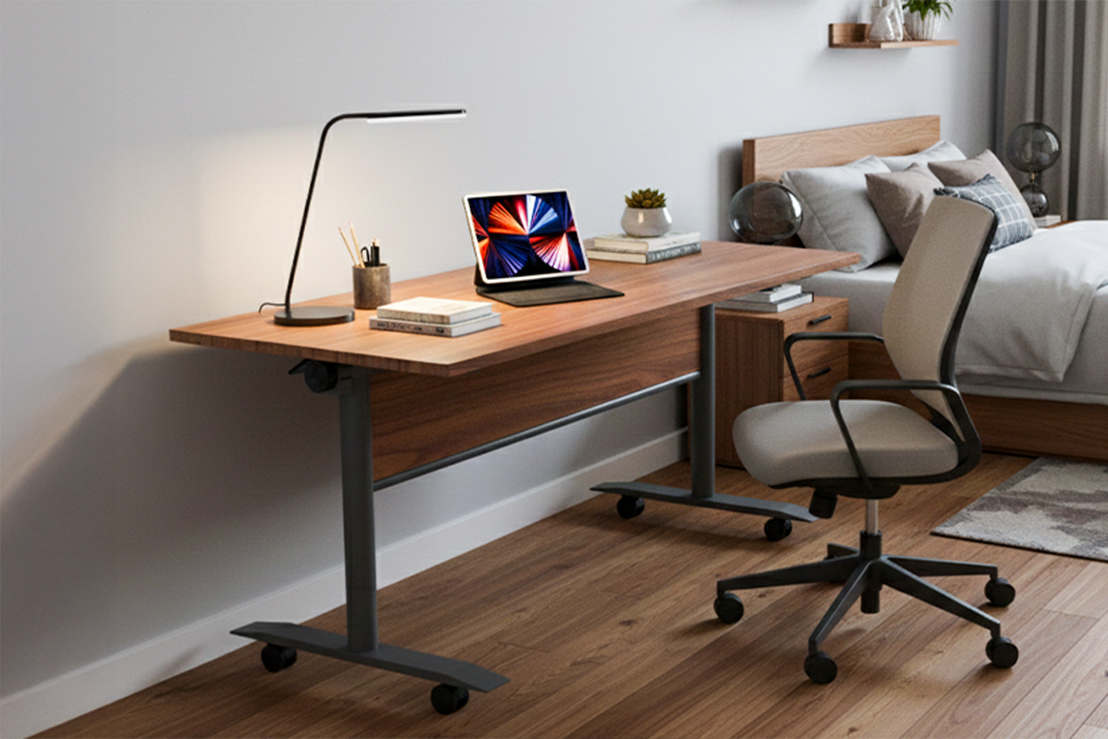
The range is designed specifically for Indian workspaces, accounting for the body proportions, working styles, and climate conditions of Indian professionals. You can explore the complete Ergonomic Seating range to find the right fit for your team.
Frequently Asked Questions
Q1. How do I know if my chair is causing my back pain?
If pain peaks during or after sitting and eases with movement or lying down, the chair is very likely the cause. A correctly set-up ergonomic chair will usually clarify this within a few days of use.
Q2. How long should I sit before taking a break?
Even in the best ergonomic chair, take a brief movement break every 45 to 60 minutes. Good seating reduces the physical cost of sitting but does not eliminate the body's need for regular movement.
Q3. Is mesh better than foam or fabric?
Mesh is more breathable, which matters in India's climate. High-density foam cushions the seat more deeply. The best ergonomic chairs combine both for maximum comfort.
Q4. How long does a quality ergonomic chair last?
A well-built commercial-grade chair should last seven to twelve years under daily professional use. Look for a warranty of at least three to five years as a baseline quality indicator.
Q5. Is it worth it for a home office?
For anyone working from home daily, an ergonomic chair is the highest-return workspace upgrade available. The daily improvement in comfort and focus justifies the investment quickly and sustains it for years.
Final Thoughts
Your chair is not a passive piece of furniture. It actively shapes your posture, your comfort, your energy, and your physical health every hour you work.
The right chair, correctly set up for your body, makes a genuine and measurable difference. AFC Business Solutions designs every chair around one question: does this truly support the person sitting in it through a full working day and across years of daily use?
Contact Us
📧 Email: customercare@afcindia.in
📞 Phone: +91 9999006933
🌐 Website: www.afcindia.in
Head Office: Plot No. 33, Ecotech 12, Greater Noida West, UP – 201310
Experience Centres: Noida · Gurugram · Mumbai · Bengaluru · Hyderabad· Pune
Explore Other Popular Blogs

Let’s build together
Tell us about your project and we’ll help you plan, design, and deliver at scale.
.jpg)
.svg)