.svg)
How to Choose an Office Chair: Comfort & Ergonomic Guide
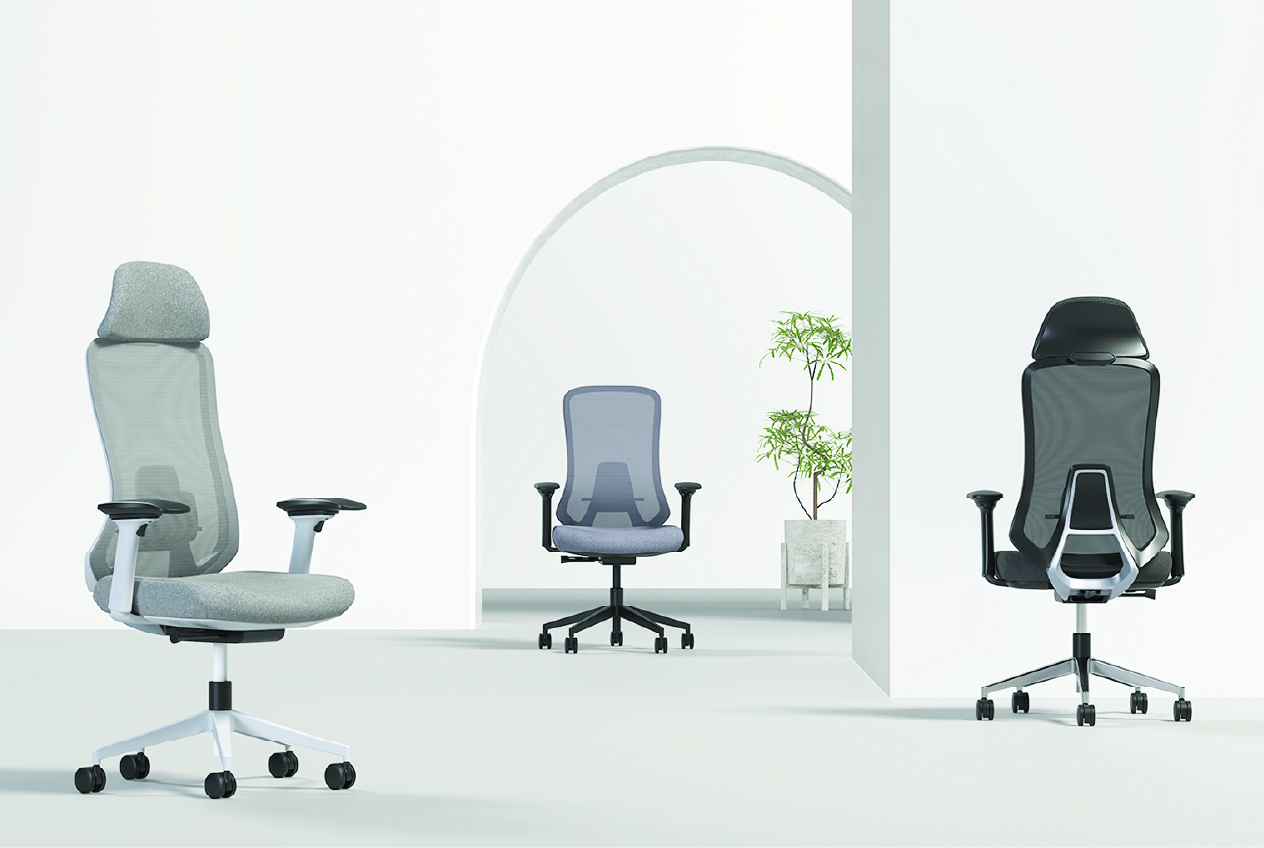
Learn how to choose an office chair for all-day comfort. Compare ergonomic features, seat dimensions, lumbar support, materials and chair types.
How to Choose an Office Chair That Keeps You Comfortable All Day
Knowing how to choose an office chair matters when long working hours lead to back discomfort, neck strain, slouching, and restlessness. The wrong chair can affect comfort and concentration throughout an eight-hour workday. This guide explains how to compare your use case, ergonomic features, comfort and build quality before buying. It applies to home-office users, corporate teams and professionals following hybrid working arrangements.
Start With How You'll Use Your Office Chair
Before comparing materials or prices, decide how and where you will use the chair. Understanding how to choose an office chair starts with matching its features to your daily tasks. A basic chair may suit occasional use, while six to eight hours of sitting requires stronger support and greater adjustability.
Consider whether the chair is for an executive office, a home workspace, gaming or a compact room. Executive users may value formal appearance, while remote workers need lasting comfort. Gaming setups can benefit from a reclining backrest and head support. Smaller rooms require a compact footprint without losing essential adjustments.
The Ergonomic Features That Actually Matter
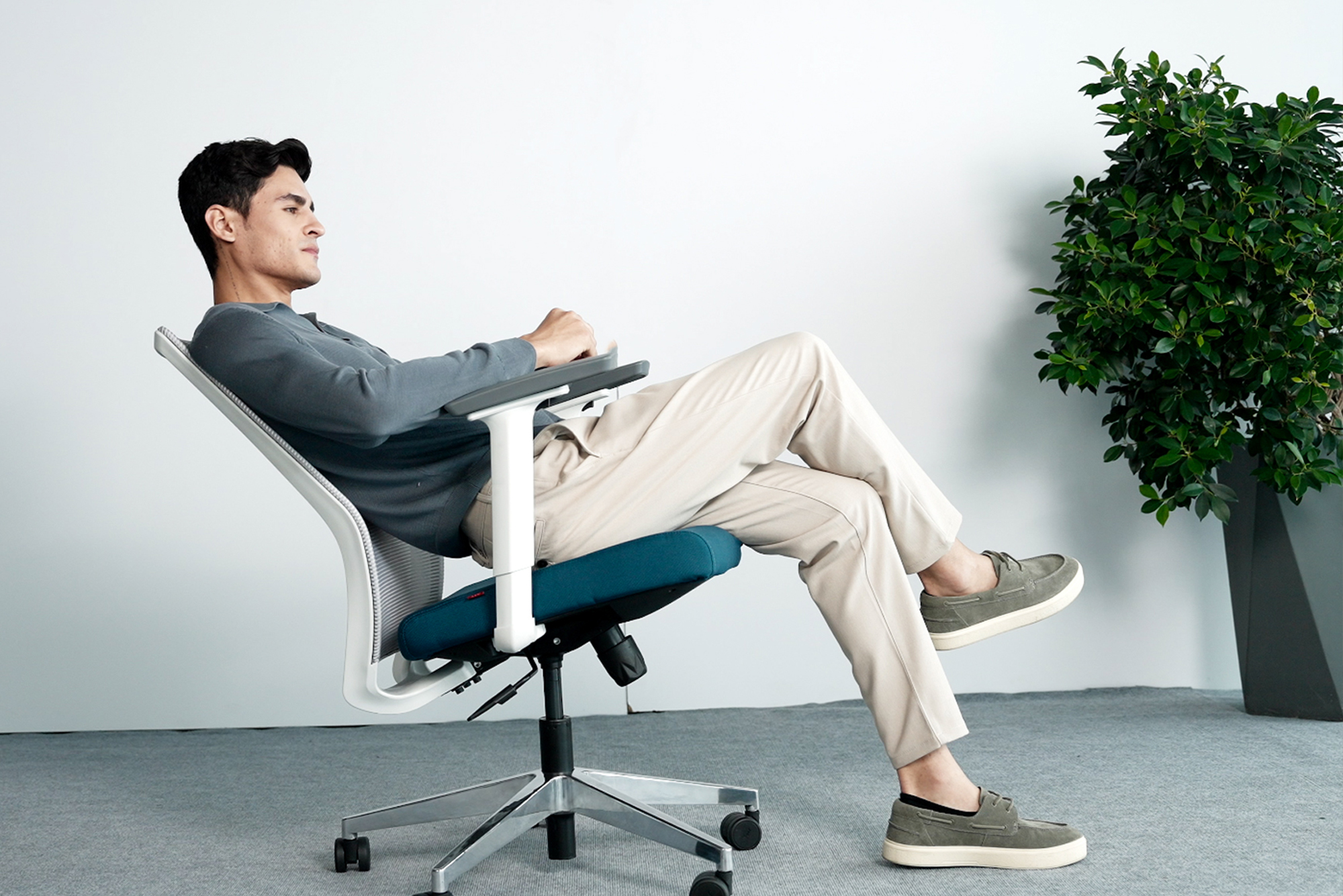
Understanding how to choose ergonomic chair features requires looking beyond labels. An Ergonomic office chairs should adjust to the user's body and allow comfortable movement during the day.
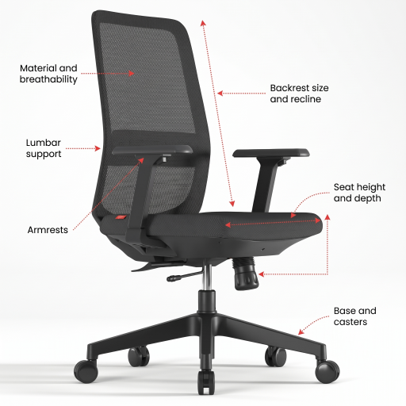
Lumbar support
Lumbar support should fit the natural curve of your lower back. Adjustable support can move vertically and, in some chairs, forwards or backwards. This flexibility helps with shared seating. Fixed lumbar support may work when its position matches the primary user's back.
Seat height and depth
A pneumatic control lets you adjust the seat while sitting. Set the height so your feet remain flat, with your knees close to a 90-degree angle. The seat should support most of your thighs without pressing behind your knees.
The University of Pittsburgh recommends at least a 0.5-inch gap between the seat edge and the back of the knees. A waterfall edge, which curves downwards, can also reduce pressure behind the legs.
Backrest size and recline
The backrest should support the lower and middle back. A taller backrest can also support the upper back and shoulder-blade area. Choose a reclining backrest that continues supporting you as you move. A permanently locked back can restrict movement, while controlled recline supports more dynamic sitting.
Armrests
Armrests should support the forearms without lifting the shoulders. Height-adjustable armrests help keep the elbows at an angle of approximately 90 to 110 degrees. Width adjustment helps accommodate different body sizes. The armrests should also fit beneath or beside the desk without blocking access to the keyboard.
Base and casters
A five-star base provides greater stability than a four-legged caster base. Check that the gas lift adjusts smoothly and the casters suit the flooring. Carpeted and hard floors may require different caster types. The chair should swivel easily so you can reach nearby items without twisting your body.
Material and breathability
Mesh allows airflow and can reduce heat during long sitting periods. Fabric offers a softer feel but may require more cleaning. Leather and leather-like materials provide a formal appearance, although they may retain more heat. Whichever material you choose, the seat should remain firm, supportive and resilient.
What Makes an Office Chair Comfortable for Long Hours
Learning how to choose a comfortable office chair requires more than sitting in it for a few minutes. A chair that feels soft in a showroom may become uncomfortable after several hours. Look for medium-firm cushioning that distributes weight evenly. Low-density foam can flatten with regular use and reduce support. A contoured seat pan can support the thighs without creating pressure at the edge. Breathable materials help manage heat, particularly during six or more hours of sitting. The chair should also allow small posture changes through recline, tilt or movement rather than holding the body in one fixed position.
Office Chair vs Ergonomic Chair vs Executive Chair : Which to Pick
To understand how to pick an office chair, compare the main chair categories according to their intended use, features and suitability for different working hours.
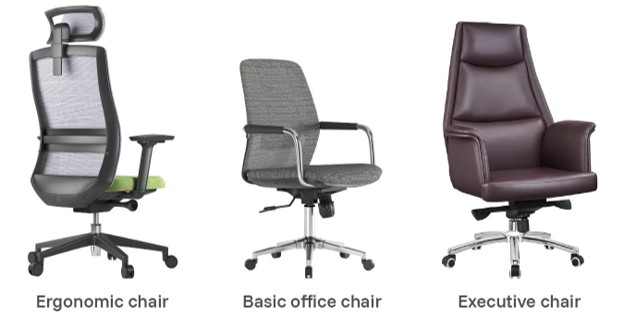
Choose based on daily sitting time, required adjustments, and the surrounding workspace.
How to Select the Right Chair for Your Body and Workspace
Understanding how to select office chair dimensions requires checking whether the chair fits your body, desk, and available floor space.
● Check Seat Width: Choose a seat that provides at least one inch of space on either side of your hips and thighs.
● Assess Seat Depth: The seat should support most of your thighs while leaving a small gap behind your knees.
● Confirm Height Range: Adjust the chair so your feet rest flat and your shoulders remain relaxed while using the desk.
● Measure Workspace Fit: Check the chair’s width, base diameter and reclining foot print, particularly in compact rooms.
● Review Desk Compatibility: Ensure the adjusted seat and armrests fit comfortably beneath or beside the desk.
Taking these measurements before ordering reduces the risk of choosing a chair that restricts movement or causes discomfort.
Signs of a Good-Quality Office Chair (and What to Avoid)
Knowing how to choose a good office chair involves checking its construction, adjustments, and suitability forregular use. Before buying, review these positive and warning signs:
What to look for
● Stable Frame: The chair should remain steady when you sit, swivel or recline.
● Useful Adjustments: Seat height, recline and armrest controls should move smoothly andstay securely in position.
● Appropriate Casters: Ensure the wheels suit your flooring and move without sticking.
● Clear Warranty: Confirm the coverage period and the parts included.
What to avoid
● Appearance-First Designs: Do not prioritize style over lumbar support and adjustability.
● Missing Specifications: Avoid chairs without clear dimensions or weight capacity.
● Limited Purchase Protection: Check the return policy before ordering online.
AFC Furniture Solutions can help organisations assess seating requirements based on team size, working patterns and workspace layouts.
Explore Other Popular Blogs

Let’s build together
Tell us about your project and we’ll help you plan, design, and deliver at scale.
.jpg)
.svg)